 sumodhkrishna
Let me set the scene.
There I was, peacefully coexisting with my Kindle Paperwhite, living that minimal, no-nonsense, e-ink lifestyle. No distractions, no notifications, just books, baby. But then one day, Amazon—like that friend who suddenly decides to go off-grid and delete all their social media—removed file access. Just like that. No warning. No heads-up. One moment I’m sideloading PDFs and EPUBs like a boss, the next I’m being told, “Nope, sorry, we don’t do that anymore.”
And that’s how I ended up here—with a Kobo Libra Colour in my hands, confused, slightly betrayed, and trying to figure out what buttons do what.
First Impressions: Kobo is… Different
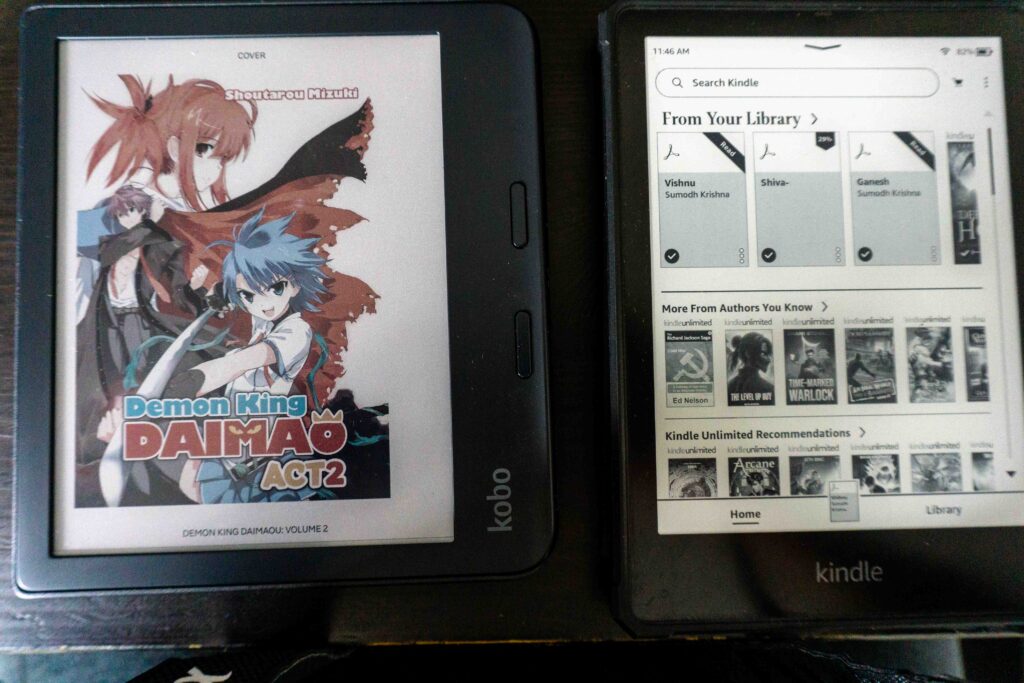
Let me be clear: switching to Kobo isn’t like switching to a different Kindle. It’s like switching from a Tesla to a classic Land Rover Defender. Sure, they both get you places, but one does it while speaking with a British accent and the other needs a moment to find the gas pedal.
Right off the bat: reading while lying down is tough. The Libra Colour has this asymmetrical design with one side chunkier for buttons (which I actually like during upright reading). But in bed? It feels like wrestling with a tiny trapezoid. My wrist now bends in ways that aren’t natural. I’ve unintentionally invented bedtime yoga poses just to prop this thing up comfortably.
Still, once I’m not horizontal, the reading experience is smooth. The buttons are clicky in a satisfying way, the screen is sharp, and then there’s the colour…
Colour That Actually Matters
Oh man. The Kaleido 3 screen is a game-changer.
For years I told myself, “I don’t need colour on an e-reader.” I was wrong. Dead wrong. I didn’t need colour, but now that I have it, I want to send my old Kindle a “thanks for your service, but you can leave the keys on the counter” note.
My comic collection has never looked better. I’ve been revisiting everything from Calvin and Hobbes to Hellboy, and it feels fresh, like I’m experiencing them for the first time again. Colour adds a level of immersion I didn’t realize I missed. Maps in fantasy books pop. Highlighted notes are actually, you know, highlighted. It’s like discovering a new sense you didn’t know your e-reader had.
What I Miss About Kindle
Okay, let’s talk trade-offs.
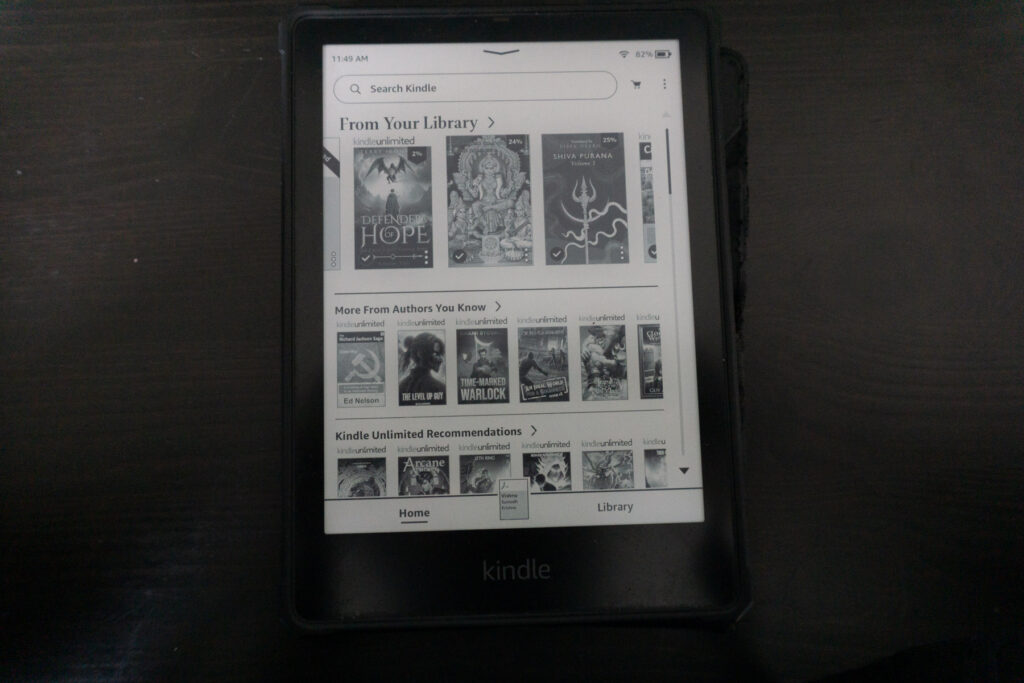
First, auto-brightness. I didn’t realize how much I relied on it until it was gone. Kobo lets you adjust brightness manually (and even has a neat warm light slider), but I miss just forgetting about it and letting the device handle things. A small thing, sure, but I notice it every time I move from a dim room to a bright one.
And then there’s the Kobo Store. It’s… fine. That’s the most honest way I can put it. It has the basics, some hidden gems, and lots of titles I don’t recognize. But compared to Amazon’s monolithic bookstore, it feels like going from a hypermart to a quaint little local shop where half the shelves are still being stocked.
When I search for certain indie authors or international works, I often come up empty on Kobo. So yes, my Kindle isn’t fully retired yet, it still serves as my back-up when Kobo can’t find something I want to read.
Why Not Boox?
I did consider the Boox Tab Ultra C and other colour Android-based readers. I really did.
But here’s the thing, I want my e-reader to be just that. An e-reader. Not a productivity tool, not a half-baked Android tablet with laggy UI. I don’t want to open Gmail by accident when I’m trying to open “The Sandman.” I want to read, zone out, and maybe tap on a dictionary word once in a while. Kobo, thankfully, knows what it is and sticks to it.
Performance: Kobo Stays Snappy
One thing I absolutely love: Kobo doesn’t slow down like Kindle.
With my old Paperwhite, if I didn’t restart it every few weeks, it started acting like it was trying to load War and Peace on a potato. Lag when turning pages. Weird pauses when highlighting. Battery draining like I left a flashlight on.
The Libra Colour? Smooth. Snappy. Zero drama. Just turns on, loads your book, and lets you read. Which, shockingly, is what I want from a book-reading machine.
?? Kindle Colour? Not in Canada
Another reason I jumped ship: Kindle’s new colour version isn’t available in Canada.
Excuse me? What did we do to deserve this? I waited. I refreshed Amazon pages like a sad little raccoon hoping someone left scraps. But it never came. Kobo, on the other hand, walked right into my local Chapters Indigo like, “Hey, want a colour screen AND actual file access?”
Yes. Yes, I do.
Verdict: A Glorious Mess Worth Loving
So, do I regret the switch?
Not really.
The Kobo Libra Colour is not perfect, but neither was the Kindle. What Kobo lacks in polish or store depth, it makes up for with colour, freedom, and a screen that feels like a window into a new dimension of reading. I feel like a kid again, exploring my bookshelf with wide eyes.
Will I keep both readers for now? Sure. But if Kobo gets its store act together and adds auto-brightness, my Kindle may end up living in a drawer forever.
Until then, I’m happily juggling two e-readers like someone trying to choose between two exes—one with a deeper library, and one with way more style.
And let’s be honest: I didn’t switch to Kobo because it was better than Kindle.
I switched because Kindle changed, and Kobo, flaws and all, feels like it still cares about readers like me.
Search For
Archive
- A Hidden Sanctuary in the Mountains: Our Journey to Asha Mahakaleshwar Temple, Hope BC
- From Panic to Pranava – How I Learned to Hand the Steering Wheel to Shiva
- My Wi-Fi 7 Rebound Romance
- The R36S Gaming Console: A Journey Through Clones, Nostalgia, and Rediscovery
- From Monochrome to Kaleido: My Chaotic Switch to Kobo Libra Colour